3D Computer Graphics Explained for Complete Beginners
The term 3D computer graphics gets thrown around constantly in course brochures, but few explain what it actually means in practical terms for a complete beginner. Search results mix film, gaming, and product design examples together without explaining the shared fundamentals underneath. This guide breaks the concept down into its real building blocks, modelling, rigging, texturing, lighting, and rendering, and explains where structured training such as Rays VFX Academy’s course fits if you want to move from curiosity to a working skill.
Key Takeaways
- 3D computer graphics means constructing and manipulating objects inside a three dimensional digital space, unlike flat 2D image work.
- Every 3D image passes through a predictable sequence: modelling, texturing, rigging, lighting, and rendering.
- Beginners progress fastest when they learn these building blocks in order rather than jumping straight into advanced software features.
What 3D Computer Graphics Actually Means
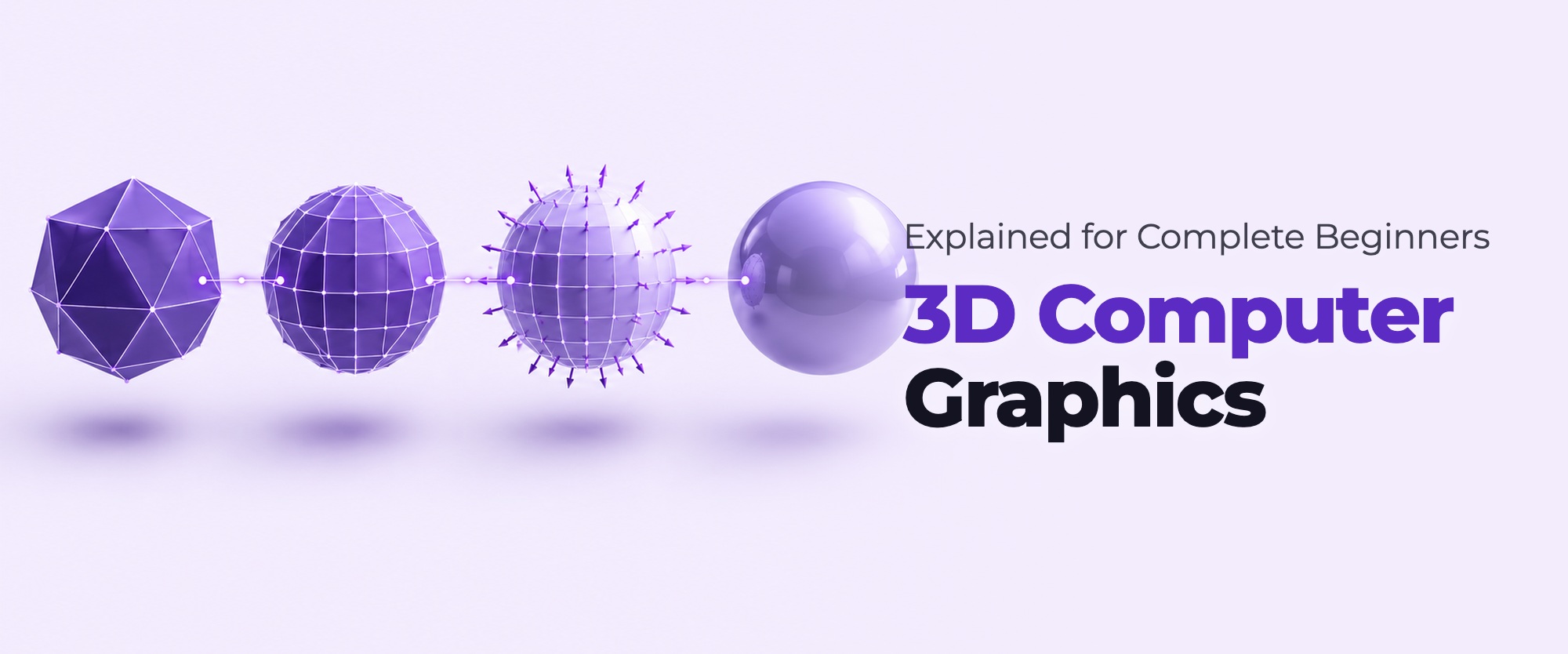
3D computer graphics refers to images and animations created by manipulating objects inside a three dimensional digital space, using geometry, surfaces, lighting, and a virtual camera to calculate a final two dimensional image. Unlike a photograph or a drawing, a 3D graphic exists as a mathematical model that can be rotated, relit, and re-rendered from any angle without redrawing anything from scratch.
This distinction matters for beginners because it explains why 3D work often takes longer to learn initially but pays off with more flexibility later. A 2D drawing is fixed once completed. A 3D model can be reused, repositioned, and reworked across many different shots, which is why studios build reusable 3D assets rather than redrawing every frame individually for animated sequences.
The phrase 3D computer graphics also covers far more than film and animation. Product design, architectural visualisation, game development, and medical imaging all rely on the same underlying principles of modelling, lighting, and rendering. A student who understands these fundamentals well is not limited to a single industry, since the core skills transfer across many creative and technical fields that use three dimensional digital content.
This is also why search phrases like computer animation course and computer animation classes often surface institutes teaching very different depths of content. Some cover only basic orientation to 3D software, while others build toward a genuine production pipeline. Knowing the five core stages covered in this guide gives you a practical framework for judging which type of course you are actually looking at before you enrol.
Core Building Blocks: Modelling, Texturing, Rigging, Lighting, Rendering
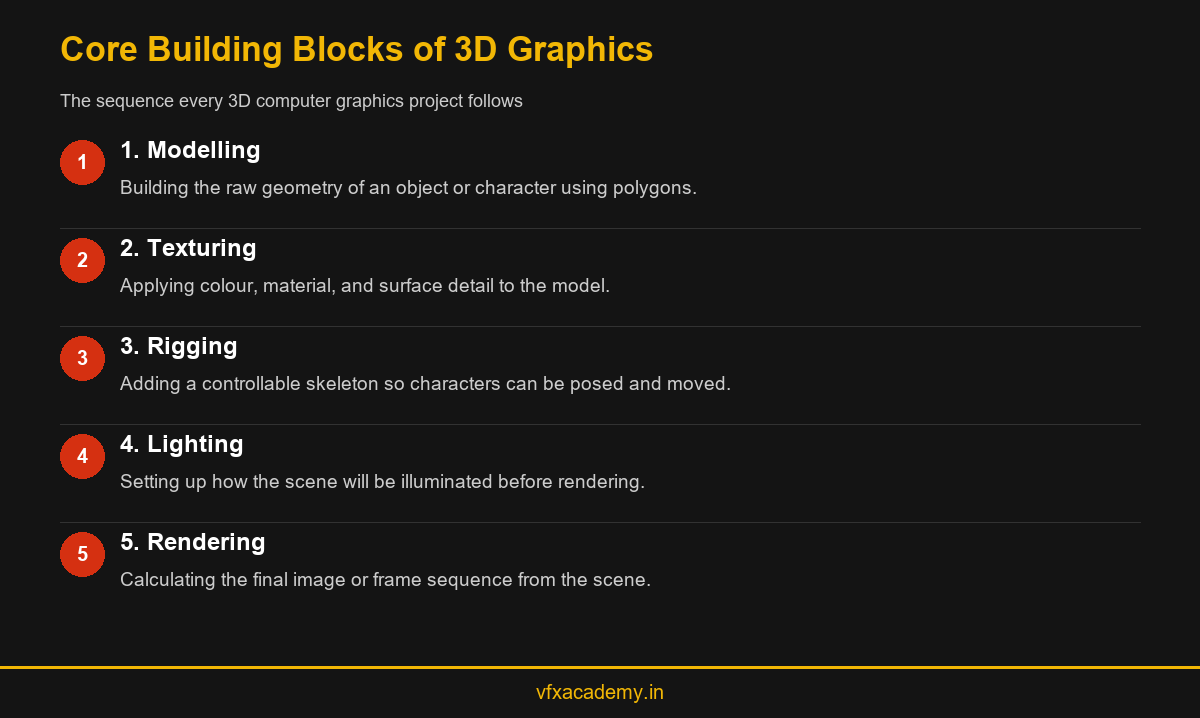
Every piece of 3D computer graphics work passes through a broadly similar sequence of stages, regardless of the specific software used. Modelling builds the raw geometry of an object or character. Texturing applies colour, material, and surface detail. Rigging adds a controllable skeleton for characters that need to move. Lighting sets up how the scene will be illuminated, and rendering calculates the final image or sequence of frames based on everything that came before it.
Understanding this sequence helps a beginner make sense of confusing software interfaces, since most menus and tool panels map directly onto one of these five stages. Autodesk Maya organises much of its workflow around this same logic, which is why structured courses teach it in this order rather than jumping straight into advanced rendering settings before a student understands what modelling actually produces.
A sixth stage, compositing, sits just outside the core 3D graphics sequence but connects directly to it in any real VFX pipeline. Rendered output from the five stages above becomes the raw material a compositor integrates with live footage or other digital elements, which is why courses that stop at rendering leave students with an incomplete picture of how their work actually reaches a finished shot.
How 3D Graphics Differ From 2D Graphics and Animation
2D graphics work entirely in flat space, using pixels or vector shapes arranged on a single plane. 3D computer graphics add depth as a real, calculable dimension, which is what allows a virtual camera to move around an object and reveal new angles that were never explicitly drawn. This is the core reason 3D training takes longer to reach a comparable visual polish than 2D illustration, since a beginner is learning to think in three dimensions from the start.
Many students confuse 3D computer graphics with 3D animation specifically, but graphics is the broader foundation underneath animation, visual effects, product visualisation, and even architectural rendering. Animation is simply one application of 3D graphics skills, focused specifically on movement and performance over time. For a deeper comparison of 2D and 3D training paths, see 2D vs 3D Animation Courses.
A useful way to picture the difference is to imagine a still object versus that same object coming alive. 3D graphics skills let you build and light a convincing chair in a room. 3D animation skills let that same chair, or more commonly a character, move with believable timing and weight. Most working artists need a solid grounding in graphics fundamentals before animation-specific skills start to click.
Common Beginner Misconceptions About 3D Graphics
A common misconception is that 3D computer graphics is primarily about artistic drawing talent. In reality, spatial reasoning, patience with technical detail, and comfort with structured software workflows matter just as much as traditional drawing skill. Many strong 3D artists describe themselves as more technically minded than artistic in the traditional sense.
Another misconception is that expensive software alone produces professional results. Free tools can produce production quality work in the right hands, while expensive software used without understanding the underlying fundamentals produces poor results regardless of price. The fundamentals covered in this guide matter more than which specific application a beginner starts with.
A third misconception is that 3D graphics can be learned purely from watching tutorial videos without structured feedback. Tutorials are genuinely useful for exposure, but they rarely correct the small technical mistakes, such as poor topology or inefficient UV layouts, that cause problems much later in a project. This is one reason guided, instructor-led practice tends to produce more reliable results than self-taught tutorial hopping alone.
Where to Start Learning 3D Computer Graphics
Beginners should start with basic modelling exercises before touching rigging, lighting, or rendering settings, since a poorly built model creates problems at every later stage. Structured courses that follow this order, rather than jumping straight to impressive looking renders, tend to produce more capable artists over time even if the early weeks feel slower.
Rays VFX Academy’s 6-month, 400-hour course builds 3D graphics fundamentals directly into a wider VFX pipeline, so students learn modelling and rendering alongside compositing rather than as an isolated subject. For students exploring career paths adjacent to 3D graphics, our AI tools in 3D animation and VFX post also explains how newer AI-assisted tools are changing parts of this workflow, and our wider VFX course guide covers how 3D graphics fits into a full VFX career path.
Whichever route you choose, resist the urge to skip fundamentals in favour of chasing visually impressive results early on. Students who spend real time on clean modelling and correct topology in their first weeks consistently progress faster through rigging, lighting, and rendering later, simply because they are not fighting avoidable technical problems at every later stage of their training.
Conclusion
3D computer graphics is not a single skill but a sequence of connected stages, modelling, texturing, rigging, lighting, and rendering, each depending on the one before it. Understanding this sequence before choosing a course helps beginners set realistic expectations and avoid institutes that skip straight to flashy output without the fundamentals underneath. A structured, studio-backed course teaches these stages in the order production actually uses them, which is worth more to a beginner than a syllabus built purely around impressive marketing screenshots. Book a free demo class to see how Rays VFX Academy teaches these fundamentals from the ground up.
Frequently Asked Questions
What is 3D computer graphics in simple terms?
3D computer graphics means building and manipulating objects inside a three dimensional digital space using geometry, texture, lighting, and rendering to produce a final image or animation.
Do I need artistic talent to learn 3D computer graphics?
Not necessarily. Spatial reasoning and comfort with technical workflows matter as much as traditional drawing skill, and many strong 3D artists describe themselves as technically minded first.
What are the main stages of 3D graphics production?
The core stages are modelling, texturing, rigging, lighting, and rendering, followed by compositing when the output is integrated into a final VFX shot.
Is 3D computer graphics the same as 3D animation?
No. 3D computer graphics is the broader technical foundation, while animation is one specific application of it focused on movement and performance over time.
Which software should a beginner learn first for 3D graphics?
Maya is the industry standard for modelling, rigging, and animation. Free tools like Blender also teach the same underlying fundamentals for beginners who want to start practising early.
How long does it take to learn 3D computer graphics basics?
Basic fundamentals can be introduced within the first few weeks of a structured course, though production-ready skill typically develops over months of consistent, guided practice.
Can I learn 3D computer graphics without any prior computer skills?
Yes. Structured courses generally start with digital design fundamentals before introducing 3D specific software, so prior technical experience is not required to begin.
Where can I get structured training in 3D computer graphics near Kochi?
Rays VFX Academy offers studio-backed 3D computer graphics training as part of its 6-month VFX course. See 3D Animation Courses for Beginners for a beginner-focused starting point.

You may also like
Diploma in 3D Animation: Full Curriculum Breakdown
3D Animation Design: Skills, Software, and Tools You’ll Master